301 vs 302 Redirects for SEO: HTTP Semantics and Link Equity
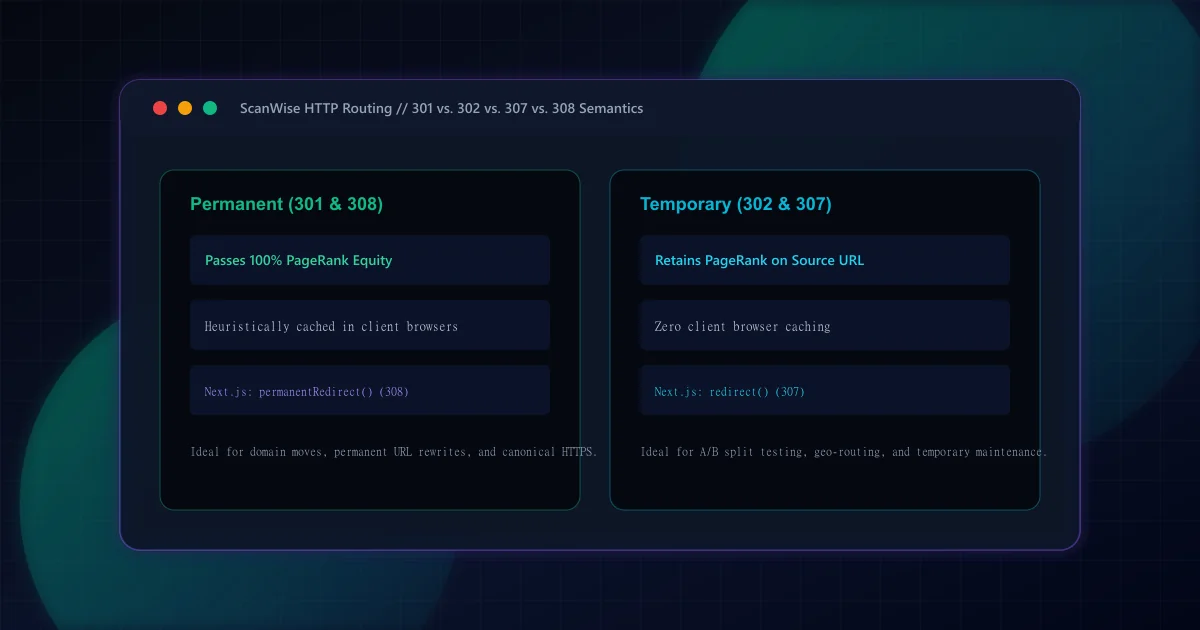
HTTP redirection is governed by the Internet Engineering Task Force (IETF) under RFC 9110: HTTP Semantics, Section 15.4. When a server returns a 3xx status code, it includes a Location header directing the client to the target URL. The critical engineering distinction between redirect types lies in two dimensions: Permanence (whether the change is permanent or temporary) and Method Handling (whether the client is permitted to change the HTTP method from POST to GET).
While historical web architectures relied solely on 301 and 302, modern HTTP standards introduced 307 and 308 to eliminate ambiguity regarding request methods. The table below details how these four redirect codes behave across both network layers and search engines:
Comprehensive HTTP Redirect Status Code Matrix
| Status Code | Semantic Meaning | Preserves POST/PUT? | Browser Caching | Link Equity / PageRank Transfer | Next.js App Router Function |
|---|---|---|---|---|---|
| 301 Moved Permanently | Permanent | No (Frequently rewritten to GET) | Aggressive (Heuristically cached) | Full PageRank transferred over time | NextResponse.redirect(url, 301) |
| 302 Found (Temporary) | Temporary | No (Frequently rewritten to GET) | Not cached by default | Retains PageRank on source URL | NextResponse.redirect(url, 302) |
| 307 Temporary Redirect | Temporary | Yes (Strict: must not change method) | Not cached by default | Retains PageRank on source URL | redirect(url) [Default in Next.js] |
| 308 Permanent Redirect | Permanent | Yes (Strict: must not change method) | Aggressive (Heuristically cached) | Full PageRank transferred over time | permanentRedirect(url) |
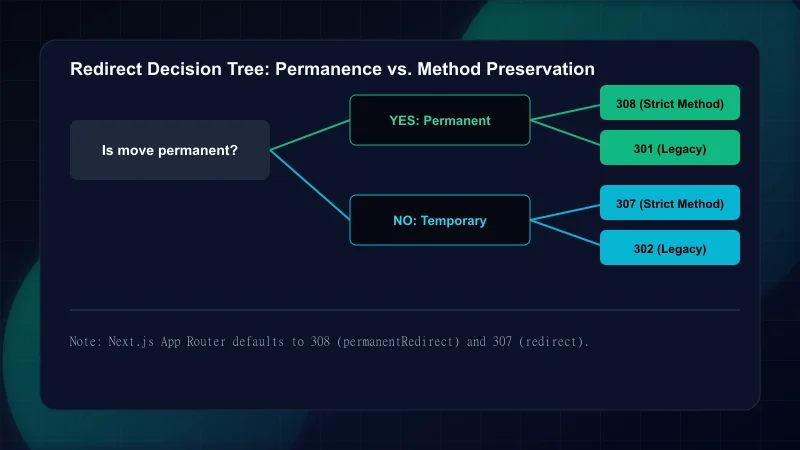
Permanent redirects signal to both search engines and browser clients that the requested resource has definitively moved to a new canonical URL and will never return to the old address. Google Search Central documentation on redirects confirms that Google treats 301 and 308 identically for index consolidation.
Ideal Use Cases for 301 / 308 Permanent Redirects
Step 1: Domain and Protocol Migrations
Migrating an entire website from HTTP to HTTPS, or from an old corporate domain to a newly branded domain. A 301 redirect informs search crawlers to transfer all historical ranking signals, backlinks, and authority to the new domain.Step 2: URL Restructuring and Slug Changes
When updating blog slugs (for instance, changing/blog/2022-seo-guideto/blog/seo-guide) to improve evergreen relevance. The 301 prevents link rot and preserves inbound social media bookmarks.Step 3: Consolidating Outdated or Merged Content
When deprecating thin articles and redirecting their traffic to a comprehensive cluster pillar guide, such as our how to improve page speed pillar.Step 4: Enforcing Canonical Slashing and www Normalization
Redirectingwww.example.comtoexample.comor stripping trailing slashes globally in edge middleware as described in our canonical URL strategy guide.
Temporary redirects tell search engine spiders: 'Send users to this temporary destination right now, but keep crawling the original URL because it will return soon.' Because search engines keep the original URL indexed, backlink PageRank is not transferred to the temporary destination.
In Next.js App Router, redirects can be declared in next.config.ts, inside edge middleware.ts, or dynamically within Server Components and Route Handlers:
// 1. Dynamic Server Component Redirects
import { redirect, permanentRedirect } from "next/navigation";

export default async function LegacyPostPage({ params }: { params: { slug: string } }) {
  const isMigrated = checkMigration(params.slug);

  if (isMigrated) {
    // Emits HTTP 308 (Permanent Redirect, preserves method)
    permanentRedirect(`/blog/${getNewSlug(params.slug)}`);
  }

  // Emits HTTP 307 (Temporary Redirect, preserves method)
  if (isUnderMaintenance()) {
    redirect("/maintenance");
  }

  return <PostView slug={params.slug} />;
}
For bulk URL patterns, configure redirects() inside next.config.ts. Setting permanent: true automatically outputs HTTP 308, while permanent: false outputs HTTP 307:
// 2. Declarative Redirects in next.config.ts
import type { NextConfig } from "next";

const nextConfig: NextConfig = {
  async redirects() {
    return [
      {
        source: "/old-blog/:slug",
        destination: "/blog/:slug",
        permanent: true, // Outputs HTTP 308
      },
    ];
  },
};

export default nextConfig;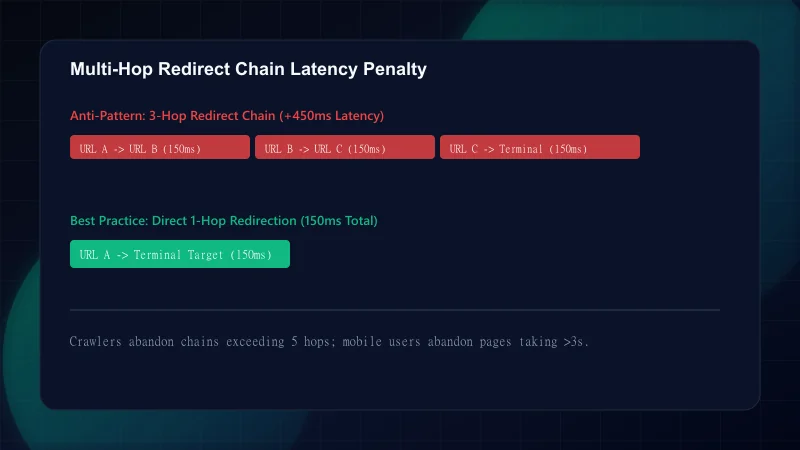
Redirect errors cause severe SEO ranking losses during site rebuilds. Review the table below to protect your organic traffic:
Common Redirect Engineering Mistakes
| Mistake | Why It Hurts | The Fix |
|---|---|---|
| Using 302 temporary redirects during permanent domain or CMS migrations | Search engines never transfer PageRank to the new domain; original indexed rankings fade away | Always use HTTP 301 or 308 for permanent infrastructure and domain migrations |
| Accumulating multi-hop redirect chains (URL A -> B -> C -> D) | Each hop adds 150ms+ network RTT latency; Googlebot aborts crawling after 5 consecutive redirect hops | Update all database references and internal links to point directly to the terminal canonical destination |
| Accidental circular redirect loops (URL A redirects to B, which redirects to A) | Browsers display ERR_TOO_MANY_REDIRECTS; search engines immediately de-index the affected URLs | Implement unit tests and automated link crawlers to catch circular redirect conditions in CI/CD |
| Redirecting all deprecated URLs to the homepage (Soft 404) | Google treats bulk homepage redirects as soft 404 errors and strips backlink equity | Redirect deleted content only to closely relevant parent categories, or return HTTP 410 Gone |
| Leaving permanent 301 redirects active during temporary feature maintenance | Browsers permanently cache the redirect in local disk storage; users cannot access the original URL even after maintenance ends | Use HTTP 302 or 307 with appropriate Cache-Control headers for any temporary rerouting |
Execute this verification sequence whenever deploying redirect mappings or URL structure changes:
Frequently Asked Questions
Does a 301 redirect pass 100% of PageRank and backlink equity to the destination URL?
Yes, Google Search representatives have confirmed that 301 and 308 permanent redirects pass PageRank without link equity loss, equivalent to a direct canonical consolidation tag.
What happens to search indexation if a permanent migration uses 302 temporary redirects?
If a permanent migration uses 302 temporary redirects, search engines will assume the move is brief and will keep the old URL indexed. Over months, if the 302 remains in place, Google may eventually treat it as a permanent 301, but the delay can cause significant traffic and ranking volatility.
How long does Google take to transfer search signals after applying a 301 redirect?
The transfer timeline depends on Googlebot crawl frequency. High-traffic pages may transfer ranking signals in days, while rarely visited deep pages can take several weeks. Maintaining the 301 redirect for at least one full year is the industry standard recommendation.
What is the difference between a 301 redirect and Next.js permanentRedirect (308)?
Under RFC 9110, an HTTP 301 redirect permits browsers to change the request method from POST to GET on the destination URL. An HTTP 308 redirect (emitted by Next.js permanentRedirect) strictly guarantees that the request method and request body are preserved unchanged across the redirect.
How do multi-hop redirect chains damage crawl budget and mobile page performance?
Each redirect hop requires an additional DNS, TCP, and TLS round trip, adding 100ms to 400ms of network latency per hop. Crawlers have limited time budgets per domain and will typically abort following chains that exceed 4 to 5 hops, leaving downstream pages uncrawled.

Engineering & Technical Audit Team
The ScanWise engineering and technical SEO team researches web performance, Core Web Vitals, crawl mechanics, and digital compliance.
Related Engineering Guides
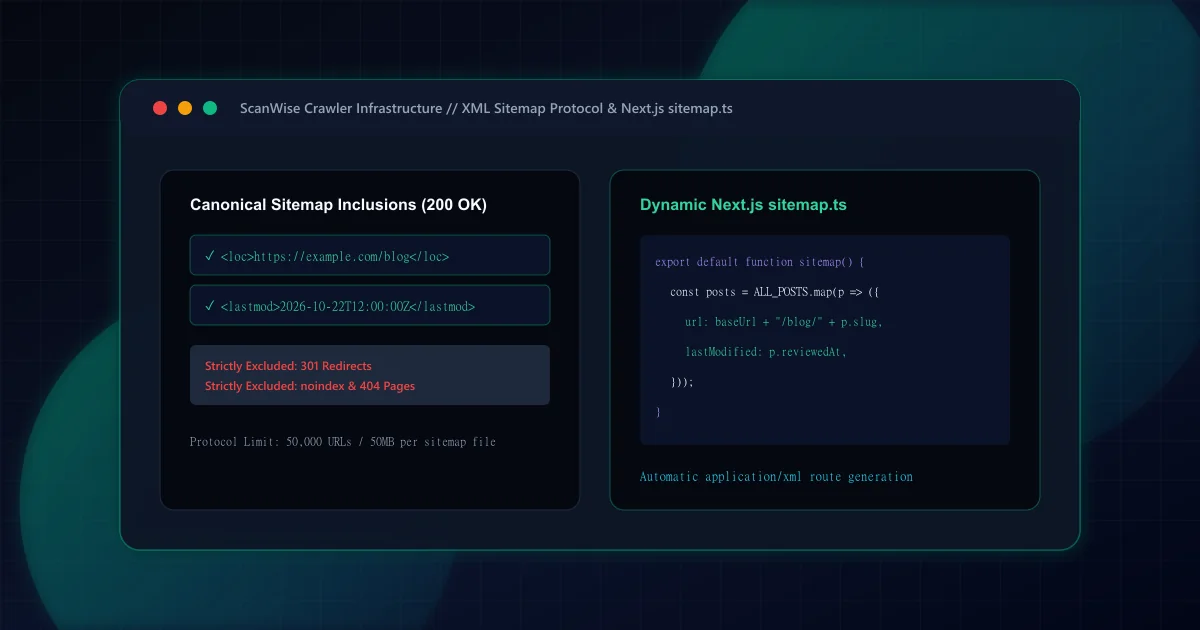
XML Sitemap Architecture: What to Include, Exclude, and Build in Next.js
Comprehensive XML sitemap guide for technical SEO. Learn what to include, what to exclude, how to handle pagination, and generate dynamic sitemap.ts in Next.js.
Title Tag and Meta Description: Length Rules, Rewriting, and Mistakes
Master title tag and meta description optimization. Avoid pixel truncation, prevent Google title rewriting, and structure high-CTR search snippets that convert.

Broken Links and 404 Pages: How to Find, Fix, and Prevent Them
Discover how to find and fix broken links before they harm user experience and SEO. Design effective 404 error pages and prevent link rot across your site.