The Technical SEO Pre-Launch Checklist for Modern Web Applications

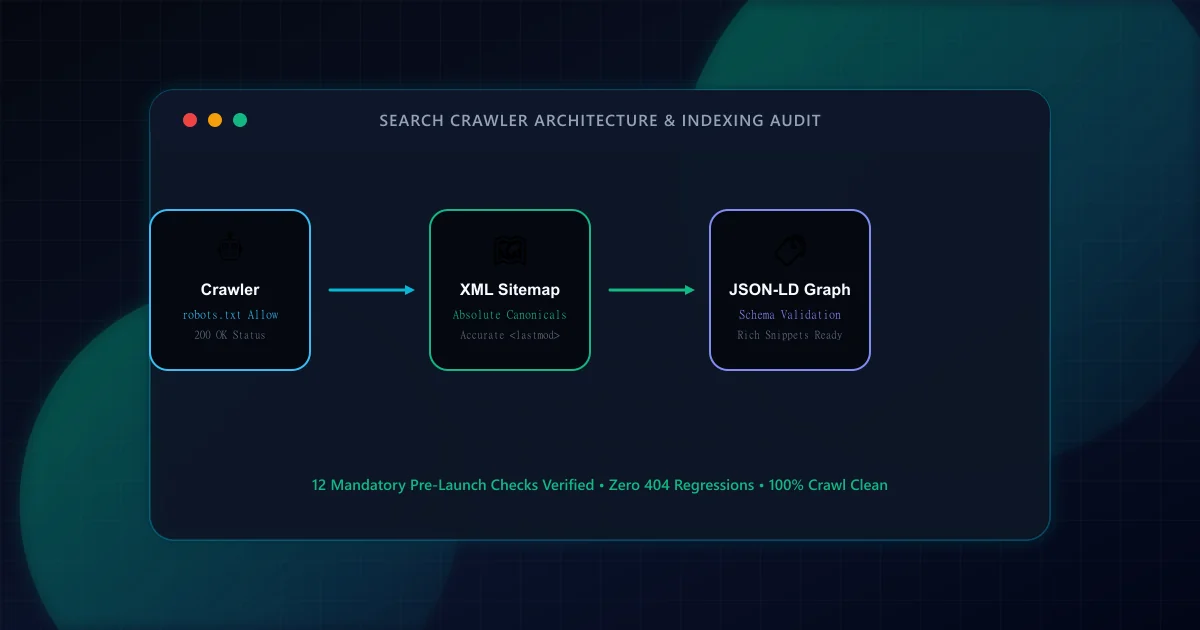
Launching a new web property or major architectural rewrite is among the highest-risk moments for digital organic discovery. According to Google Search Central documentation on crawling and indexing, search engine bots allocate bounded crawl budgets based on server responsiveness, site health, and link clarity. A single misplaced directive in robots.txt or an unintended noindex tag can de-index an entire domain within hours.
Modern search crawlers like Googlebot operate through a two-stage processing pipeline. In stage one, the crawler requests the URL and analyzes the initial server-delivered HTML payload. In stage two, if the page requires client-side scripts, the request enters the Web Rendering Service (WRS) queue. The WRS renders the DOM only when compute resources become available, which can introduce days or weeks of latency before dynamic content is indexed.
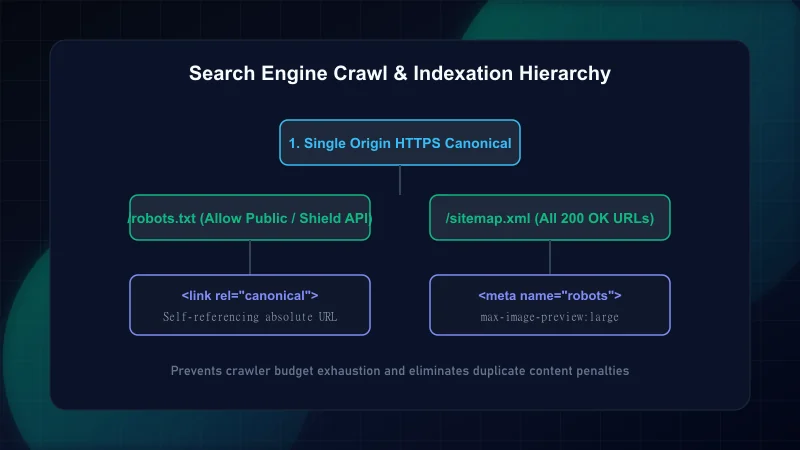
Because of this queue latency, modern frameworks like Next.js App Router must emit complete, semantic HTML directly in the initial server response. If you have questions about server rendering performance, refer to our Next.js Core Web Vitals optimization guide.
The robots.txt file is the first asset inspected by compliant crawlers. Staging environments frequently deploy Disallow: / to block indexation during pre-production. If this file is deployed to production without modification, organic visibility collapses completely.
Per Google Search Central robots.txt specifications, robots.txt must be served from the domain root via HTTP 200 with an explicit text/plain content type. It should declare the absolute XML sitemap location and restrict crawler access only to internal admin routes, private APIs, and unbounded search parameters.
# ScanWise Production Robots Directives
User-agent: *
Allow: /
Disallow: /api/
Disallow: /admin/
Disallow: /_next/
Disallow: /search?*

Sitemap: https://example.com/sitemap.xmlCanonical tags inform search engines which URL represents the authoritative source when multiple routes expose duplicate or near-identical content. Common culprits include trailing slash mismatches (/blog vs /blog/), protocol discrepancies (http vs https), uppercase letters, and UTM marketing parameters.
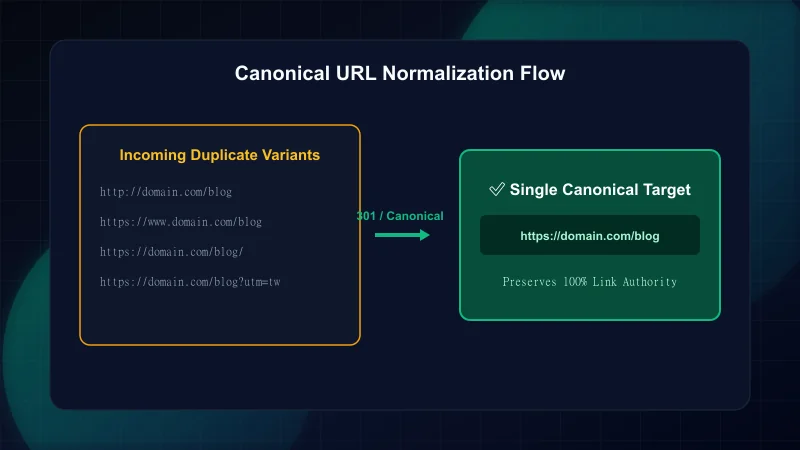
| URL Scenario | Recommended Server Response | Canonical Tag Output |
|---|---|---|
| http://example.com/page | 301 Redirect to https:// | https://example.com/page |
| https://example.com/page/ | 301 Redirect to /page (or vice-versa consistently) | https://example.com/page |
| https://example.com/page?utm_source=twitter | 200 OK (no redirect needed) | https://example.com/page (strip query params) |
| https://example.com/page?filter=price | 200 OK or noindex if thin facet | https://example.com/page or self if distinct |
In Next.js, declare canonical URLs dynamically using the metadata.alternates.canonical property in route segments, ensuring values are fully qualified absolute URLs derived from your centralized domain configuration.
Every page must follow strict document semantics governed by W3C Semantic Standards. A document should contain exactly one <h1> element representing the primary topic of the page. Subsections must follow sequential <h2> and <h3> tags without skipping levels.
- Unique Title Tags: Between 50 and 60 characters, front-loading the primary target keyword followed by brand attribution.
- Descriptive Meta Descriptions: Between 120 and 155 characters, outlining concrete page outcomes with clear intent matching.
- Structured Data Graph: Include valid Schema.org entities. Review our companion guide on Schema markup for modern web apps.
- Security Headers: Enforce HTTPS and transport boundaries as detailed in our guide on Security headers and SEO impact.
Search engines consume XML sitemaps to discover new and updated content. Sitemaps must contain only indexable, 200 OK URLs. Submitting pages that return 301 redirects, 404 errors, or contain noindex directives wastes crawler budget and damages site crawl quality scores.
import type { MetadataRoute } from 'next';
import { getPublishedPosts } from '@/lib/blog/data';
import { absoluteUrl } from '@/lib/config/site.config';

export default function sitemap(): MetadataRoute.Sitemap {
  const posts = getPublishedPosts();

  // Exclude drafts, sample placeholders, and noindex items
  const validPosts = posts.filter((p) => !p.noindex && !p.isSample);

  return validPosts.map((post) => ({
    url: absoluteUrl(`/blog/${post.slug}`),
    lastModified: new Date(post.updatedAt || post.publishedAt),
    changeFrequency: 'weekly',
    priority: 0.8,
    images: post.coverImage ? [absoluteUrl(post.coverImage)] : undefined,
  }));
}- Confirm staging
Disallow: /directive is stripped from productionrobots.txt. - Verify all production routes return 200 OK status codes without redirect chains.
- Ensure canonical URLs are absolute, HTTPS, and strictly lowercase.
- Inspect rendered HTML source to guarantee title, description, and h1 tags exist without JS execution.
- Confirm XML sitemaps compile dynamically at
/sitemap.xmland pass Google Search Console validation. - Trigger a complete synthetic scan on ScanWise to catch regressions before public release.
This checklist is constructed in accordance with primary search authority documentation: - Google Search Central — Robots.txt Specifications - Google Search Central — Consolidate Duplicate URLs with Canonical Tags - Google Search Central — JavaScript SEO Basics - W3C Recommendation — Semantic HTML5 Specification
Frequently Asked Questions
Why should robots.txt not contain Disallow on production?
A Disallow: / directive instructs all compliant search engine crawlers to stop crawling the entire domain. If left in place on production, search engines will remove your pages from search result indices, causing immediate organic traffic loss.
What is the difference between a canonical URL and a 301 redirect?
A 301 redirect sends both users and search bots to a new URL address automatically, meaning the original URL cannot be viewed. A canonical tag allows multiple variations (e.g., URLs with tracking query parameters) to remain accessible to users while instructing search engines to consolidate all ranking equity to the canonical URL.
Can search engines index content rendered via client-side JavaScript?
Yes, modern crawlers like Googlebot can render client-side JavaScript using headless Chrome, but rendering is placed in an asynchronous secondary queue that may take days or weeks. Serving complete HTML from the server ensures immediate indexation upon discovery.
Should staging or sample content be included in production XML sitemaps?
No. Including sample posts, draft content, or pages with noindex tags in an XML sitemap wastes crawler budget and triggers coverage warnings in Google Search Console. Sitemaps should strictly contain authoritative, indexable 200 OK URLs.
Engineering & Technical Audit Team
The ScanWise engineering and technical SEO team researches web performance, Core Web Vitals, crawl mechanics, and digital compliance.
Related Engineering Guides
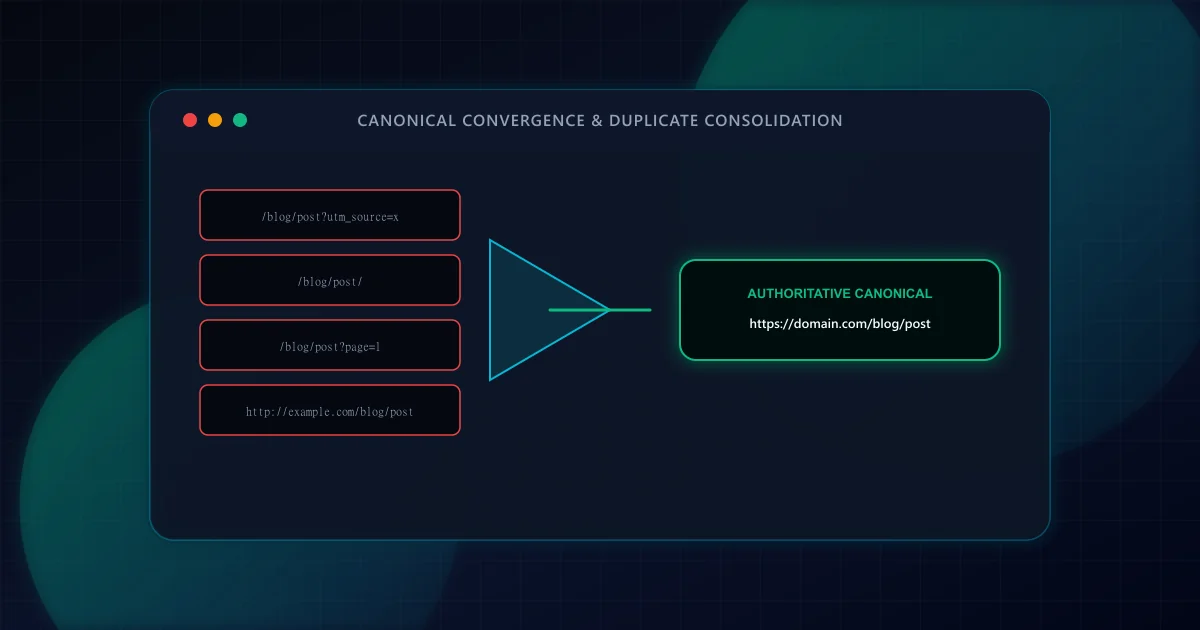
Canonical URL Strategy: Eliminating Duplicate Content in SSR & Dynamic Routes
Master canonicalization in Next.js App Router. Learn how to prevent duplicate content penalties from trailing slashes, tracking parameters, pagination, and multi-tenant subdomains.
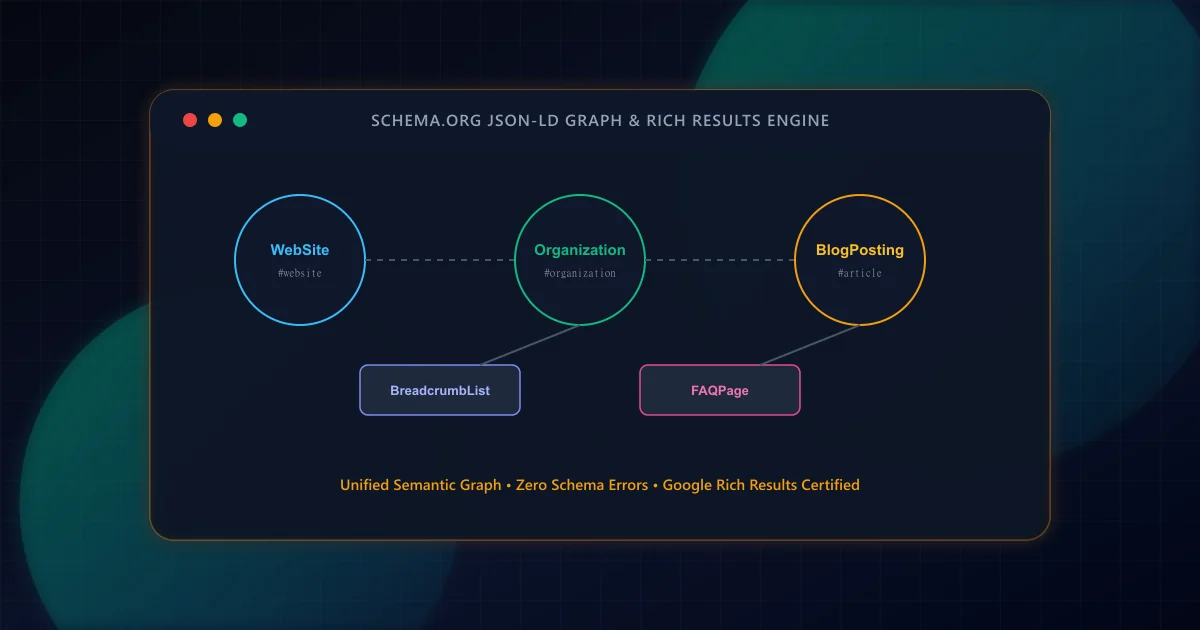
Schema Markup for Modern Web Apps: A Practical JSON-LD Guide
Transform raw HTML into search-engine-readable entity graphs. Build interconnected JSON-LD schemas for Article, Organization, BreadcrumbList, and FAQPage with strict validation.
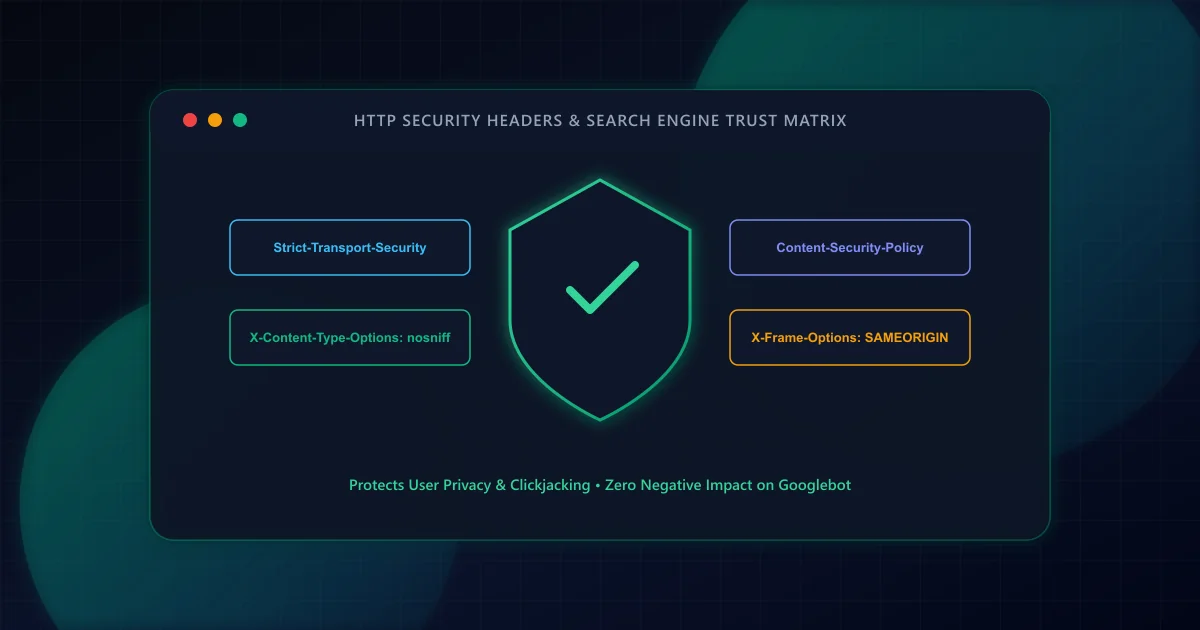
HTTP Security Headers and SEO: Protecting Crawlers and Users
Transport security is an essential foundation for web platforms. Learn how HSTS, Content Security Policy, and X-Content-Type-Options protect users, streamline crawl requests, and preserve analytics attribution.