XML Sitemap Architecture: What to Include, Exclude, and Build in Next.js

An XML sitemap is a structured document conforming to the sitemaps.org XML schema protocol 0.9. While search engines discover pages primarily through internal hyperlinks, sitemaps act as a reliable discovery fallback for newly created articles, deep category archives, and media assets that have few inbound links.
As outlined in our technical SEO pre-launch checklist, search engines do not guarantee that every URL listed in a sitemap will be indexed. Instead, sitemaps provide discovery hints that allow Googlebot and Bingbot to allocate their crawl budgets efficiently toward valuable, high-quality content.
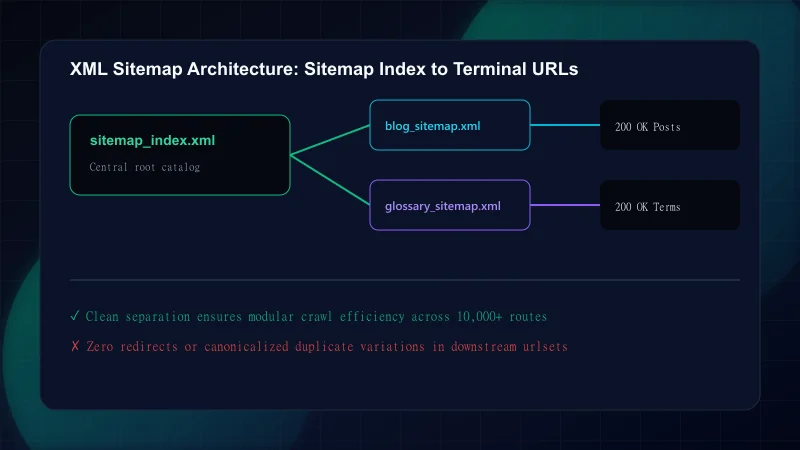
The golden rule of technical SEO sitemap architecture is: Only include URLs you actively want search engines to rank in organic search results. Mixing erroring, redirected, or utility pages into your sitemap dilutes crawl budget and creates conflicting signals in Google Search Console.
XML Sitemap Inclusion and Exclusion Criteria
| URL Category / State | Include in Sitemap? | Technical Rationale | Search Impact |
|---|---|---|---|
| Primary Canonical Pages (200 OK) | Yes (Required) | Core public content intended for user discovery and indexation | Accelerates crawler discovery and initial indexation |
| 301 / 308 Redirected URLs | No (Strictly Exclude) | Wastes crawl budget; search engines already follow Location headers | Triggers 'Page with redirect' warnings in Search Console |
| Pages with noindex meta tags | No (Strictly Exclude) | Creates contradictory signals: sitemap asks to index, page asks to drop | Triggers 'Submitted URL marked noindex' indexing errors |
| Non-canonical duplicate variants | No (Strictly Exclude) | Only the primary canonical target URL should appear in sitemaps | Causes canonicalization conflicts as detailed in our canonical guide |
Faceted search / filter combinations (?color=blue) | No (Strictly Exclude) | Generates near-infinite duplicate parameter URLs | Severe crawl budget exhaustion and thin content issues |
| User dashboards & authenticated portals | No (Strictly Exclude) | Private utility content with zero public search intent | Protects private application architecture from public indexing |
The standard sitemap XML schema defines five core tags. However, how modern search engines interpret these tags differs significantly from theoretical documentation:
<?xml version="1.0" encoding="UTF-8"?>
<urlset xmlns="http://www.sitemaps.org/schemas/sitemap/0.9">
  <url>
    <loc>https://example.com/blog/xml-sitemap-guide-nextjs</loc>
    <lastmod>2026-10-22T12:00:00Z</lastmod>
    <changefreq>monthly</changefreq>
    <priority>0.8</priority>
  </url>
</urlset>
Understanding Sitemap XML Tag Interpretation
Step 1: <loc> (Required)
Specifies the absolute canonical URL of the page. Must begin with the protocol (https://) and exactly match the domain and trailing slash configuration of your canonical tags.Step 2: <lastmod> (Highly Recommended)
Indicates the date and time of the last substantial modification in W3C Datetime format (YYYY-MM-DDor ISO 8601). Googlebot uses genuine<lastmod>timestamps to prioritize re-crawling updated content.Step 3: <changefreq> (Ignored by Googlebot)
Originally intended to indicate update frequency (always, hourly, daily, weekly). Google Search Central confirms that Googlebot ignores<changefreq>and determines re-crawl schedules dynamically.Step 4: <priority> (Ignored by Googlebot)
Intended as a relative priority ranking between 0.0 and 1.0 within your own site. Google documentation confirms that<priority>is treated as a 'bag of noise' and is completely ignored in modern ranking algorithms.
Next.js App Router simplifies sitemap generation by providing the src/app/sitemap.ts convention. This TypeScript route handler automatically queries your content repository, formats the XML payload, sets the proper Content-Type: application/xml headers, and serves /sitemap.xml without external plugins.
import type { MetadataRoute } from "next";
import { ALL_POSTS } from "@/content/blog";
import { getSiteUrl } from "@/lib/utils/url";

export default function sitemap(): MetadataRoute.Sitemap {
  const baseUrl = getSiteUrl();

  // 1. Static high-value marketing and hub pages
  const staticRoutes: MetadataRoute.Sitemap = [
    {
      url: baseUrl,
      lastModified: new Date(),
      changeFrequency: "daily",
      priority: 1.0,
    },
    {
      url: `${baseUrl}/blog`,
      lastModified: new Date(),
      changeFrequency: "daily",
      priority: 0.9,
    },
    {
      url: `${baseUrl}/glossary`,
      lastModified: new Date(),
      changeFrequency: "weekly",
      priority: 0.8,
    },
  ];

  // 2. Dynamic content routes generated from blog schema
  const blogRoutes: MetadataRoute.Sitemap = ALL_POSTS.map((post) => ({
    url: `${baseUrl}/blog/${post.slug}`,
    lastModified: new Date(post.reviewedAt || post.updatedAt || post.publishedAt),
    changeFrequency: "monthly",
    priority: 0.7,
  }));

  return [...staticRoutes, ...blogRoutes];
}
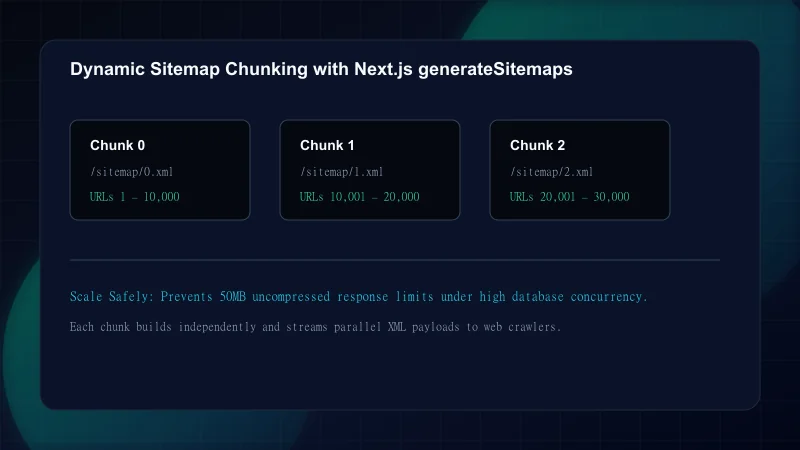
For very large websites with tens of thousands of items, Next.js also supports generateSitemaps(), which splits URLs across multiple sitemap indices (/sitemap/0.xml, /sitemap/1.xml) automatically, preventing individual file size bottlenecks.
Auditing enterprise web applications reveals recurring sitemap mistakes that trigger crawl budget loss and indexing warnings:
Common XML Sitemap Mistakes
| Mistake | Why It Hurts | The Fix |
|---|---|---|
| Submitting relative URLs instead of absolute canonical URLs | Sitemaps with relative paths (/blog/post-1) violate the XML schema; search engines cannot resolve domain context | Always generate fully qualified HTTPS URLs: https://example.com/blog/post-1 |
| Faking <lastmod> timestamps with new Date() on every request | If every URL claims to be updated today without actual content changes, Googlebot stops trusting your lastmod tags | Bind lastmod strictly to verified editorial review dates or CMS content modification timestamps |
| Including URLs blocked by robots.txt disallow rules | Creates a direct conflict: sitemap tells crawlers to inspect the URL, while robots.txt blocks access | Audit your sitemap against robots.txt directives using automated CI scripts before release |
| Omitting the sitemap declaration in robots.txt | Crawlers must guess the sitemap location or rely solely on manual Google Search Console submissions | Declare Sitemap: https://example.com/sitemap.xml at the end of your robots.txt handler |
| Allowing sitemap files to exceed 50,000 URLs or 50 MB | Violates the IETF/sitemaps.org protocol specification; crawlers reject the entire file beyond the limit | Implement a sitemap index file (<sitemapindex>) to group smaller topic-segmented sitemap files |
Before releasing major updates or site migrations, review this verification checklist to guarantee sitemap integrity:
Frequently Asked Questions
Should noindex, redirected, or canonicalized duplicate pages be included in an XML sitemap?
No. An XML sitemap should exclusively contain 200 OK canonical pages that you want search engines to index. Including noindex pages, redirects, or canonicalized duplicates wastes crawl budget and causes indexing error reports in Google Search Console.
How many URLs can a single XML sitemap file contain before requiring a sitemap index?
Under the official sitemaps.org protocol, a single sitemap file can contain a maximum of 50,000 URLs and must not exceed 50 MB uncompressed. Websites with more than 50,000 URLs must create multiple sitemap files referenced by a central sitemap index file (<sitemapindex>).
Is the <lastmod> tag still valued by Googlebot when crawling web pages?
Yes, Google Search Central representatives have confirmed that Googlebot actively uses the <lastmod> tag to prioritize re-crawling, provided the dates genuinely correspond to substantive content changes rather than automated boilerplate updates.
Do search engines crawl paginated archive URLs listed in XML sitemaps?
While search engines can crawl paginated URLs, industry best practice is to omit pagination archives (/page/2, /page/3) from XML sitemaps and let crawlers discover them via standard HTML hyperlinks on the category hubs.
How do you split dynamic Next.js sitemaps across multiple route segments?
In Next.js App Router, you can export a generateSitemaps() function alongside your default sitemap() handler. Next.js will automatically create segmented endpoints such as /sitemap/0.xml and /sitemap/1.xml based on the IDs returned.

Engineering & Technical Audit Team
The ScanWise engineering and technical SEO team researches web performance, Core Web Vitals, crawl mechanics, and digital compliance.
Related Engineering Guides
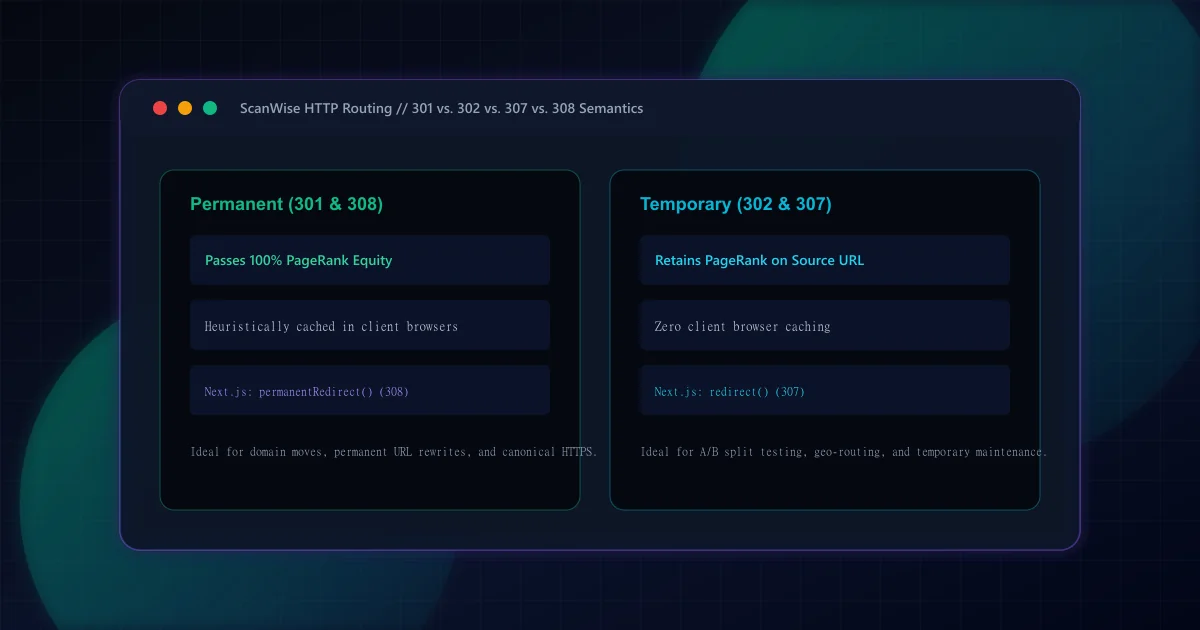
301 vs 302 Redirects for SEO: HTTP Semantics and Link Equity
Understand the SEO differences between 301 and 302 redirects. Learn when to use permanent vs temporary status codes, plus how Next.js handles 307 and 308 headers.

Title Tag and Meta Description: Length Rules, Rewriting, and Mistakes
Master title tag and meta description optimization. Avoid pixel truncation, prevent Google title rewriting, and structure high-CTR search snippets that convert.

Broken Links and 404 Pages: How to Find, Fix, and Prevent Them
Discover how to find and fix broken links before they harm user experience and SEO. Design effective 404 error pages and prevent link rot across your site.