Next.js Core Web Vitals: A Code-Level Guide to Sub-Second LCP

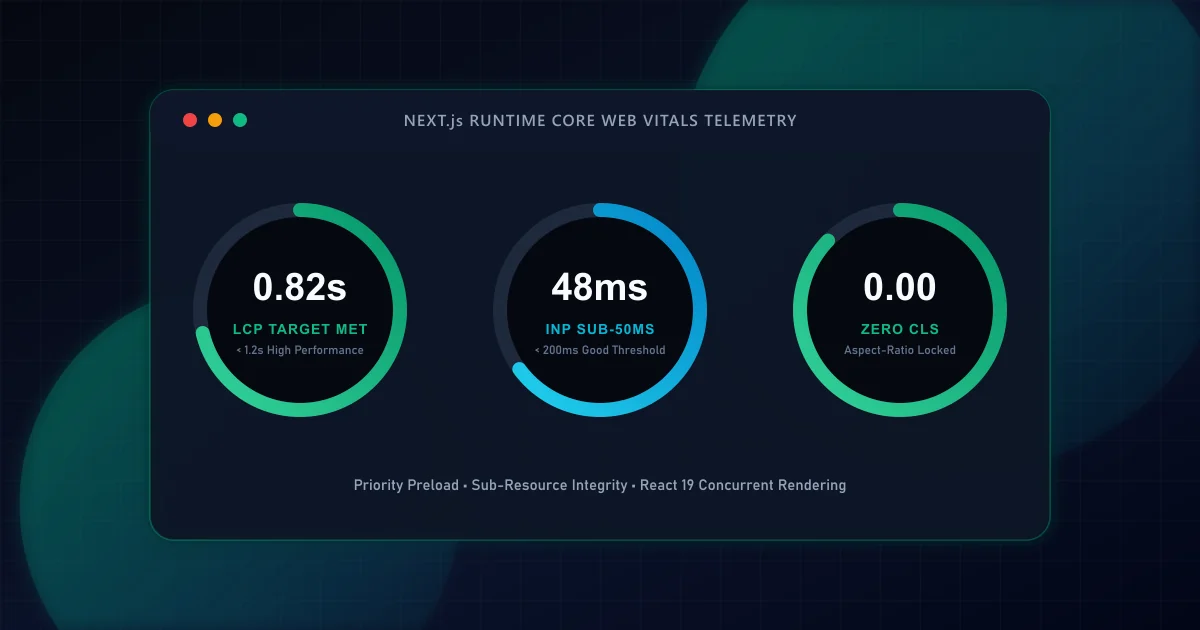
Largest Contentful Paint measures the render time of the largest visual block (typically an image, video poster, or large heading element) visible in the viewport. According to official performance guidelines from web.dev Core Web Vitals, an LCP under 2.5 seconds qualifies as 'Good', between 2.5 and 4.0 seconds 'Needs Improvement', and greater than 4.0 seconds is classified as 'Poor'. Furthermore, Google Search Central documentation confirms that page experience signals directly influence search rankings when pages satisfy quality thresholds.
When developers observe a slow LCP score in lab or field diagnostics, they frequently assume the underlying image file is too heavy. However, network payload size accounts for only one segment of the complete lifecycle. The Chrome Web Vitals team defines four chronological sub-components that comprise total LCP duration:
- Time to First Byte (TTFB): The elapsed time from initial navigation start until the browser receives the first byte of response HTML.
- Resource Load Delay: The interval between the first HTML byte arrival and the moment the browser network stack initiates the fetch for the LCP candidate resource.
- Resource Load Duration: The time required to transfer and download the candidate asset across the wire.
- Element Render Delay: The remaining duration between resource arrival and the actual pixel paint on screen, frequently prolonged by main-thread script execution or client hydration.
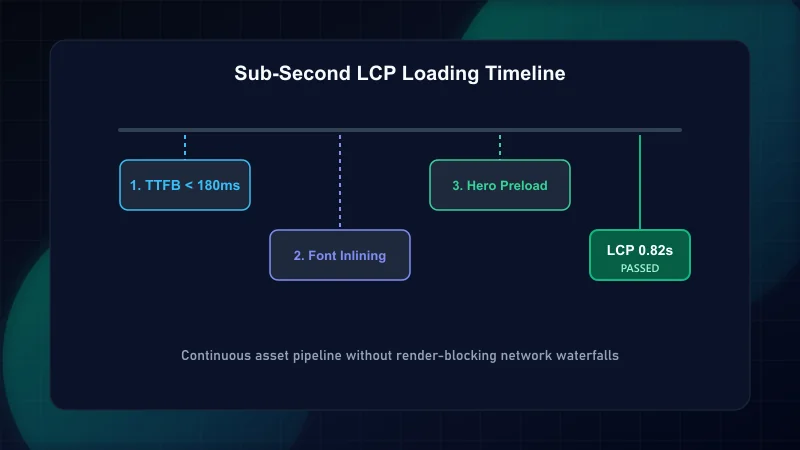
To achieve a sub-second LCP target, every phase must operate within precise bounds: TTFB under 400ms, Resource Load Delay under 100ms, Load Duration under 300ms, and Element Render Delay under 200ms. If you are also tuning user interaction responsiveness, review our deep dive on React INP optimization.
In traditional client-rendered applications or naive image implementations, browsers cannot discover an LCP image until JavaScript bundles execute, parse the component tree, and attach the DOM node. This introduces significant Resource Load Delay.
Next.js solves this at the compiler layer when the priority prop is supplied to next/image. When priority={true} is set, Next.js generates a high-priority <link rel="preload" as="image"> tag into the SSR head payload. As a result, the browser's preload scanner initiates asset retrieval immediately upon parsing document headers, long before client scripts are evaluated.
import Image from 'next/image';

interface HeroBannerProps {
  headline: string;
  heroImageUrl: string;
}

export function HeroBanner({ headline, heroImageUrl }: HeroBannerProps) {
  return (
    <section className="relative w-full aspect-[16/9] overflow-hidden rounded-2xl">
      {/*
        priority={true} injects a preload link in the initial SSR head.
        sizes guarantees the browser fetches the exact viewport-matched srcset variant.
      */}
      <Image
        src={heroImageUrl}
        alt="Production application dashboard overview"
        fill
        priority
        sizes="(max-width: 768px) 100vw, (max-width: 1200px) 80vw, 1200px"
        className="object-cover"
      />
      <div className="absolute inset-0 bg-gradient-to-t from-black/80 to-transparent p-8 flex items-end">
        <h1 className="text-3xl sm:text-5xl font-extrabold text-white tracking-tight">
          {headline}
        </h1>
      </div>
    </section>
  );
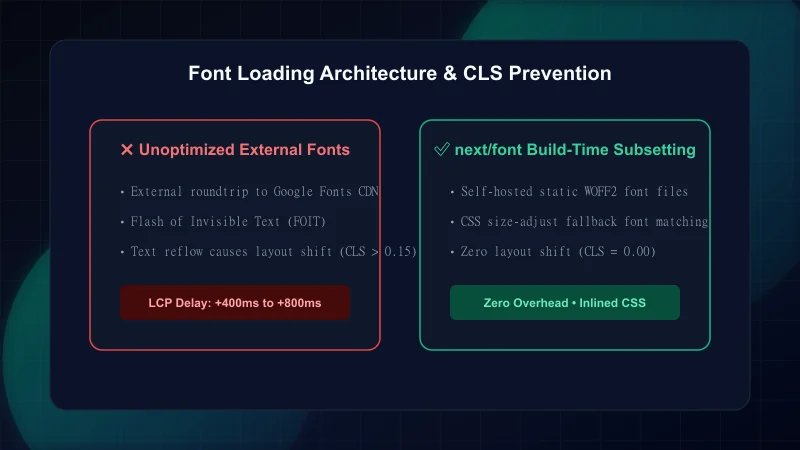
}Web fonts present a dual challenge: if loaded with font-display: block, they introduce Flash of Invisible Text (FOIT), which delays Element Render Delay. If loaded with font-display: swap, they trigger Flash of Unstyled Text (FOUT), which shifts surrounding elements and inflates Cumulative Layout Shift (CLS).
The next/font package eliminates this friction by hosting font binaries locally at build time and injecting fallback metric overrides (ascent-override, descent-override, and size-adjust) directly into the inline stylesheet. These properties modify system fallback fonts so their bounding box matches the custom web font down to the exact pixel.
import { Inter, Plus_Jakarta_Sans } from 'next/font/google';

export const fontSans = Inter({
  subsets: ['latin'],
  display: 'swap',
  variable: '--font-sans',
});

export const fontHeading = Plus_Jakarta_Sans({
  subsets: ['latin'],
  display: 'swap',
  variable: '--font-heading',
  weight: ['600', '700', '800'],
});If a route handler or page component performs blocking database queries or external API calls before emitting any HTML, the browser receives zero bytes while waiting. This directly inflates Time to First Byte (TTFB).
In Next.js App Router, React Suspense boundaries allow the server to flush the HTML document shell and hero section immediately. Slower secondary components are streamed progressively as promises settle, decoupling LCP from backend latencies.
| Architecture Pattern | TTFB Impact | LCP Candidate Availability | CLS Risk |
|---|---|---|---|
| Monolithic SSR | High (waits for slowest query) | Delayed until entire page renders | Low |
| Client-Side Fetching | Low initial shell TTFB | Severely delayed by bundle download | High (content pops in) |
| Suspense Streaming SSR | Instant initial shell TTFB | Immediate with priority preload | Zero (skeletons reserve space) |
While local Lighthouse audits provide valuable synthetic approximations, field real-user monitoring (RUM) reflects true end-user experience across variable device tiers and network conditions. You can instrument client-side capture using the native MDN PerformanceNavigationTiming API and the official web-vitals library.
'use client';

import { useReportWebVitals } from 'next/web-vitals';

export function WebVitalsReporter() {
  useReportWebVitals((metric) => {
    // Log metrics or dispatch to telemetry endpoint
    if (metric.name === 'LCP' || metric.name === 'CLS' || metric.name === 'INP') {
      console.info(`[Web Vitals] ${metric.name}:`, {
        value: metric.value,
        rating: metric.rating, // 'good' | 'needs-improvement' | 'poor'
        delta: metric.delta,
        id: metric.id,
      });
    }
  });

  return null;
}- Audit viewport above-the-fold content to identify the exact LCP candidate element.
- Add
priorityand responsivesizesto the LCP image. - Verify images are served in modern formats (AVIF/WebP) with automated sizing.
- Adopt
next/fontwith zero-CLS font metric overrides. - Wrap slow dynamic blocks in React Suspense boundaries to protect TTFB.
- Perform a pre-launch crawler verification using our Technical SEO Pre-Launch Checklist.
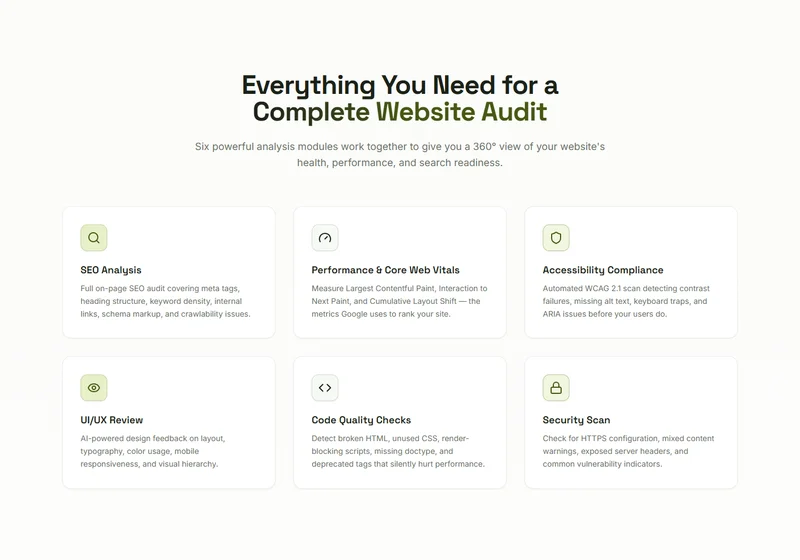
- Test your site right now with the ScanWise automated audit tool.
This guide cites authoritative industry standards and technical documentation: - web.dev — Optimize Largest Contentful Paint - Google Search Central — Understanding Core Web Vitals and Search Results - MDN Web Docs — PerformanceNavigationTiming Specification - W3C Web Performance Working Group Standards
Frequently Asked Questions
What is considered a good LCP score for web applications?
According to official Google Web Vitals documentation, an LCP measurement of 2.5 seconds or less at the 75th percentile of page loads qualifies as 'Good'. Scores between 2.5 and 4.0 seconds require improvement, and those above 4.0 seconds are classified as poor.
Does using next/image automatically fix slow LCP?
No. While next/image automatically optimizes formats and sizing, omitting the 'priority' prop on an above-the-fold image causes the browser to delay loading until scripts evaluate. You must explicitly mark the LCP candidate image with priority={true} to emit high-priority preload hints.
How does React Suspense streaming improve LCP?
Streaming allows the server to send the critical HTML shell and hero section immediately without waiting for slower database queries in lower sections. This preserves a fast Time to First Byte (TTFB) and allows the browser to discover and download the LCP candidate asset immediately.
Why does next/font prevent Cumulative Layout Shift (CLS)?
next/font automatically calculates exact CSS font metric overrides (size-adjust, ascent-override, and descent-override) for system fallback fonts, ensuring the fallback text occupies the exact same vertical and horizontal dimensions as the custom web font before it finishes downloading.
Engineering & Technical Audit Team
The ScanWise engineering and technical SEO team researches web performance, Core Web Vitals, crawl mechanics, and digital compliance.
Related Engineering Guides
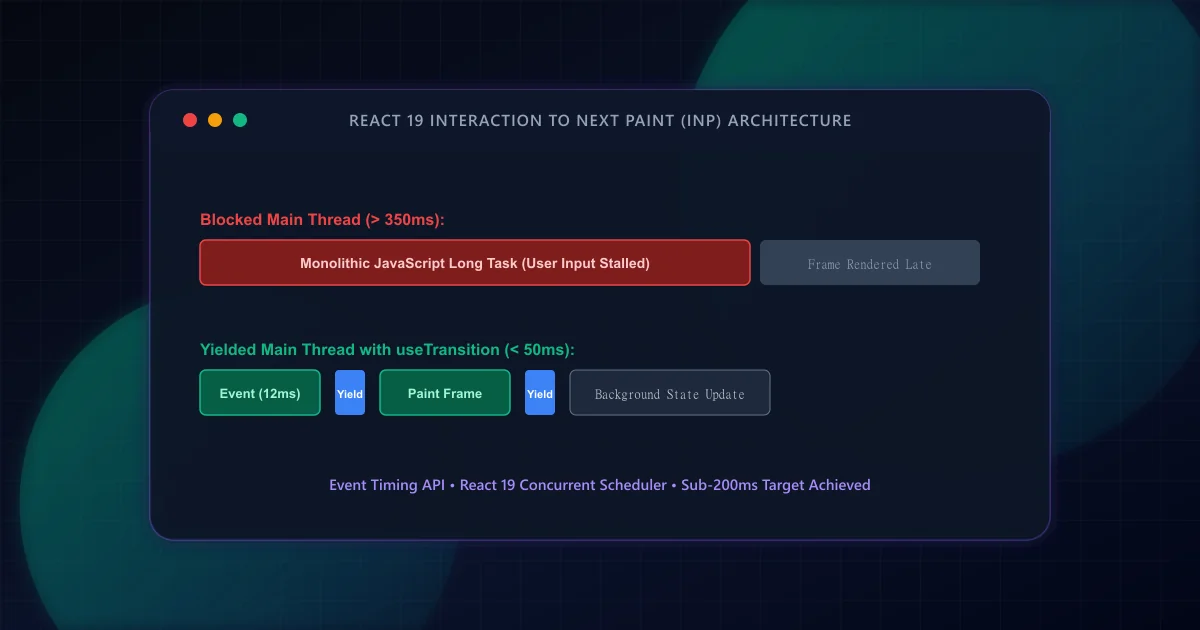
React INP Optimization: Debugging Long Tasks and Event Loop Lag
Interaction to Next Paint replaced FID as an official Core Web Vital. Discover how to identify main-thread long tasks, leverage React 19 transitions, and yield to the browser scheduler.
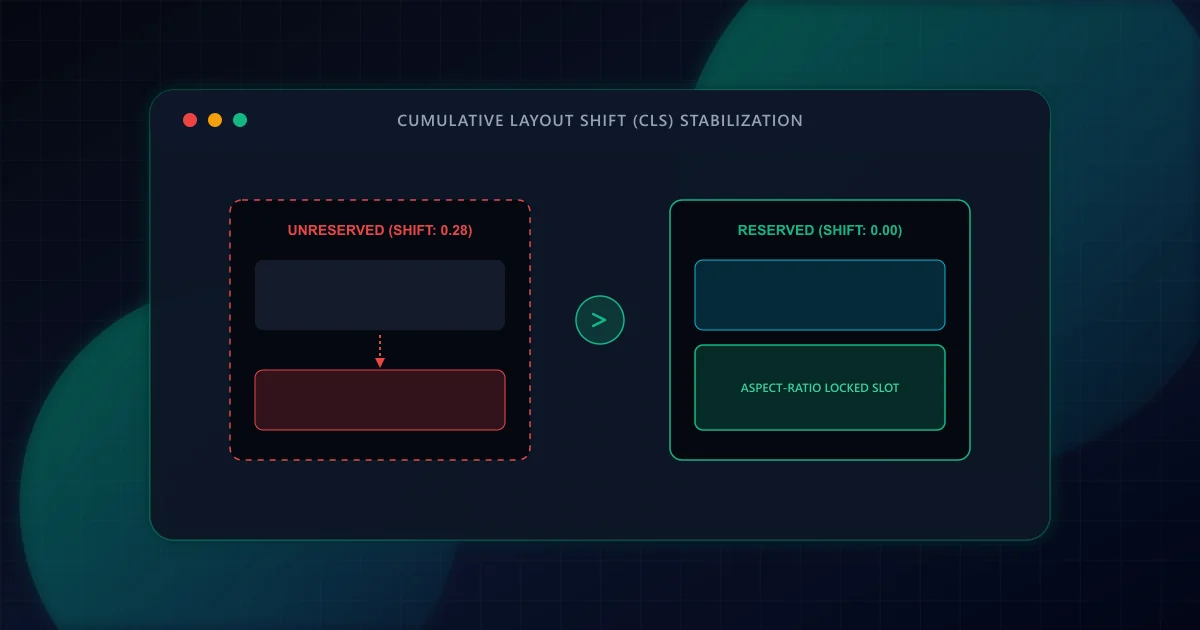
Eliminating Cumulative Layout Shift (CLS) in Dynamic React Frameworks
Prevent disruptive UI jank and improve Core Web Vitals. Discover how to eliminate Cumulative Layout Shift (CLS) in React and Next.js through aspect-ratio reservations, font fallback metrics, and dynamic slot stabilization.
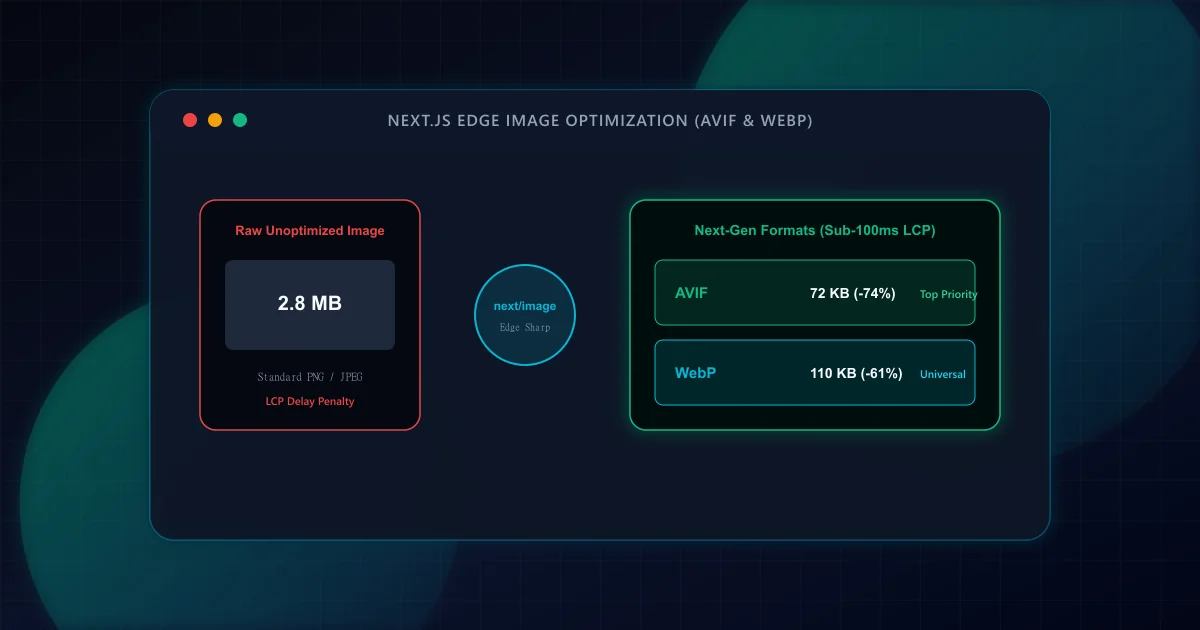
Image CDN & Modern Responsive Formats (AVIF vs WebP) in Next.js
Achieve sub-second LCP by pairing next/image with AVIF, WebP, responsive device sizes, and priority preloading. Eliminate layout shift while slashing image payload by up to 60%.