Render-Blocking Resources: How to Find and Eliminate Them

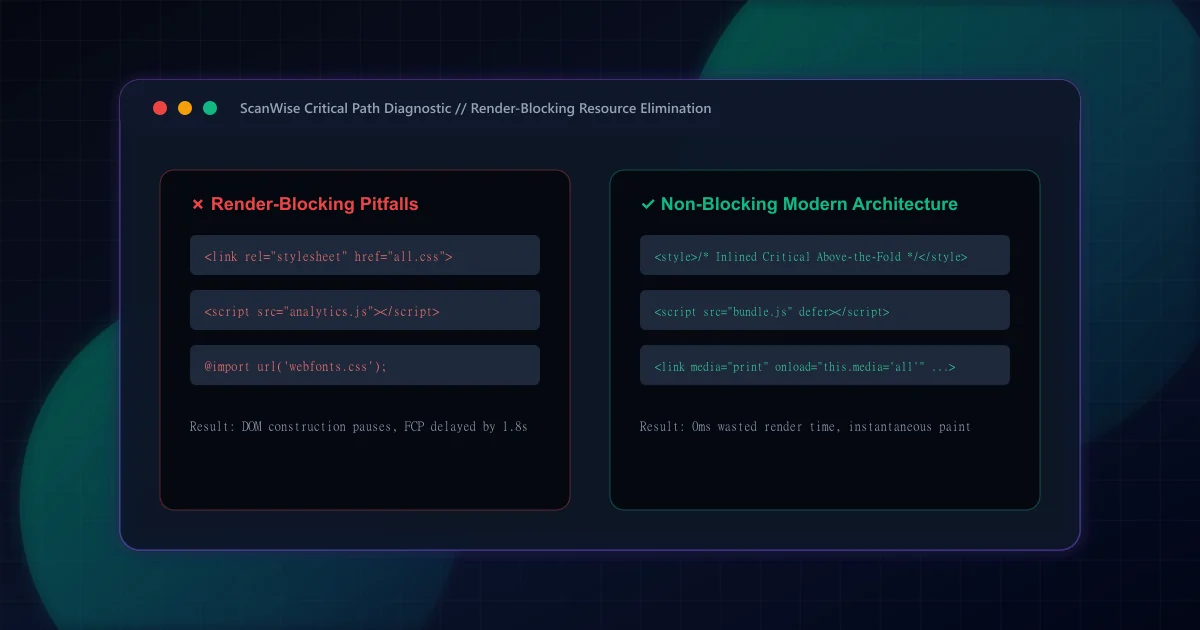
When a browser navigates to a URL, it constructs the Document Object Model (DOM) by parsing HTML tokens sequentially from top to bottom. However, visually painting pixels on the user's screen requires two data structures: the DOM tree and the CSS Object Model (CSSOM) tree. According to Chrome Lighthouse documentation on eliminating render-blocking resources, browsers intentionally halt the rendering pipeline whenever they encounter synchronous stylesheets or scripts in the document <head> to avoid displaying unstyled content (Flash of Unstyled Content, or FOUC).
While this mechanism ensures visual consistency, synchronous resources placed in the critical rendering path delay both First Contentful Paint (FCP) and Largest Contentful Paint (LCP). As established in our how to improve page speed pillar guide, unblocking the critical rendering path is Phase 2 of systemic web optimization: once Time to First Byte (TTFB) delivers the HTML document, blocking resources determine whether pixels appear in 200 milliseconds or 3 seconds.
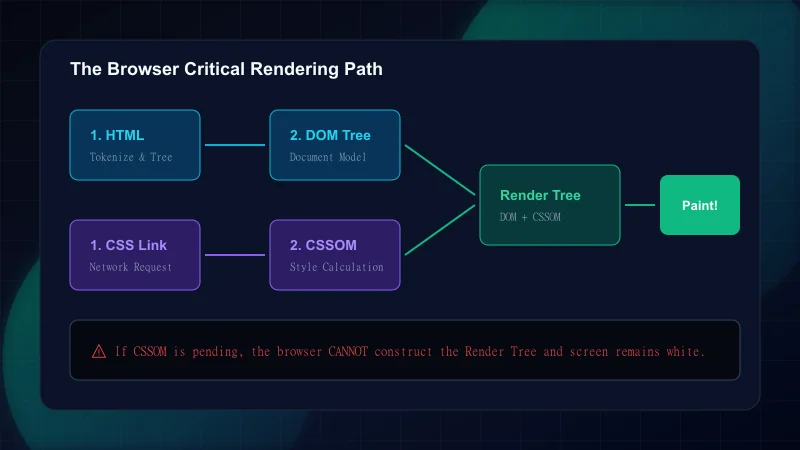
Engineers do not need to guess which network assets block rendering. Both automated audits and manual browser profiling provide exact, microsecond-level telemetry.
How to Identify Render-Blocking Resources in DevTools
Step 1: Run Chrome DevTools Performance Profiler
Open Chrome DevTools, navigate to the Performance tab, select 4x CPU slowdown and Fast 3G network throttling, and click Reload and Record. Inspect the 'Main' thread and look for the First Contentful Paint marker.Step 2: Inspect Network Waterfall Priority Tags
In the Network tab, right-click table headers and enable 'Priority'. Resources marked with 'Highest' or 'High' priority that execute before the FCP vertical line represent your active critical path.Step 3: Run Google Lighthouse Audit
Under the Lighthouse panel, run a Performance audit. The diagnostics section flags 'Eliminate render-blocking resources' with exact potential savings in milliseconds (wastedMs) and transferred byte size.Step 4: Audit DevTools Coverage Tab
PressCtrl+Shift+P(orCmd+Shift+Pon macOS), type 'Coverage', and reload. The Coverage tool highlights unused CSS and JavaScript bytes in red. Files with >70% unused code during initial paint should be code-split immediately.
Many developers conflate render-blocking and parser-blocking resources. Understanding the mechanical distinction is crucial for applying the correct optimization strategy without introducing runtime race conditions.
Render-Blocking vs. Parser-Blocking Comparison
| Characteristic | Render-Blocking (CSS) | Parser-Blocking (Synchronous JS) | Deferred / Async JS |
|---|---|---|---|
| Browser Behavior | HTML parser continues building DOM, but screen paint is blocked | HTML parser stops completely; DOM construction halts | HTML parser continues in parallel; script executes non-blockingly |
| Trigger Elements | <link rel="stylesheet"> | <script src="..."> without attributes | <script defer> or <script async> |
| Impact on DOM | DOM nodes constructed, but CSSOM construction is pending | Subsequent DOM nodes cannot be parsed or discovered | DOM tree parsing completes unimpeded |
| Metrics Affected | FCP, LCP, First Paint | FCP, LCP, TTFB-to-DOM, Long Tasks | Total Blocking Time (TBT), INP |
| Remediation | Inline critical CSS, async non-critical | Add defer, move to Server Components | Split chunks, dynamic imports |
By default, browsers treat every <link rel="stylesheet"> as render-blocking unless told otherwise. Here are the three industry-standard strategies to load styling without holding back page paints:
<!-- Render-blocking synchronous approach (Avoid) -->
<link rel="stylesheet" href="/css/large-bundle.css">

<!-- Non-blocking asynchronous loading with media swap -->
<link
  rel="stylesheet"
  href="/css/non-critical.css"
  media="print"
  onload="this.media='all'"
>
<noscript>
  <link rel="stylesheet" href="/css/non-critical.css">
</noscript>
Notice the <noscript> fallback: users or crawlers with disabled JavaScript still receive complete styling without broken layouts.
The fastest possible First Contentful Paint is achieved when the CSS required to style above-the-fold content is inlined directly inside an HTML <style> block in the document <head>. Because the styles arrive inside the initial TCP packets alongside the HTML, the browser constructs the CSSOM instantaneously without dispatching secondary network requests. Frameworks like Next.js App Router perform this automatically during server-side compilation, extracting and inlining component-level styles as demonstrated in our Next.js Core Web Vitals optimization guide.
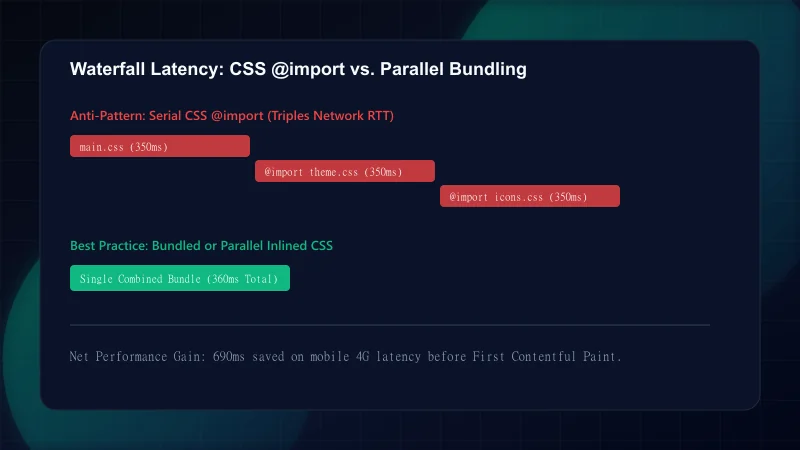
CSS @import rules are one of the most severe performance anti-patterns on the modern web. When a browser downloads a stylesheet containing @import url('sub-theme.css');, it cannot discover or download sub-theme.css until the parent stylesheet is fully downloaded and parsed. This creates a serialized network waterfall that triples render-blocking latency.
Synchronous script tags (<script src="app.js"></script>) force the browser HTML parser to stop dead in its tracks. The parser cannot know whether the script will execute document.write() or mutate the DOM tree, so it must wait for the script to download, compile, and execute before proceeding. Adding the defer or async attribute restores non-blocking behavior.
<!-- 1. Synchronous (Blocks HTML parser & rendering) -->
<script src="/js/analytics.js"></script>

<!-- 2. Defer (Downloads in background, executes after DOM is parsed, preserves order) -->
<script src="/js/bundle-a.js" defer></script>
<script src="/js/bundle-b.js" defer></script>

<!-- 3. Async (Downloads in background, executes immediately when ready, order unpredictable) -->
<script src="/js/tag-manager.js" async></script>Auditing enterprise web applications frequently reveals recurring patterns of accidental render blocking. Review the table below to verify your build configuration against common pitfalls:
Common Render-Blocking Mistakes
| Mistake | Why It Hurts | The Fix |
|---|---|---|
| Synchronous Google Fonts <link> without preconnect | Blocks FCP by 300ms–800ms while resolving external domain fonts.gstatic.com | Use Next.js next/font for self-hosted zero-roundtrip WOFF2 fonts, or add preconnect with font-display: swap |
| Loading third-party tag managers synchronously in <head> | Total blocking of DOM parse; delays LCP hero element discovery | Load tracking containers using async or Next.js <Script strategy="afterInteractive" /> |
| Using @import inside main CSS stylesheets | Sequential multi-hop network waterfall before CSSOM construction can start | Flatten CSS imports into a single bundled file or emit parallel <link> tags |
| Monolithic un-split CSS bundles exceeding 100KB | High transfer and parse latency on mobile 3G/4G connections | Configure Tailwind v4 purge / tree-shaking or CSS modules with route-based splitting |
| Client-side SPA bundles with empty server HTML | Simulated render-blocking: user sees white blank screen until 2MB JS downloads | Adopt React Server Components and static HTML pre-rendering with streaming SSR |
Eliminating render-blocking resources is not a one-time refactoring task. New third-party scripts, marketing tracking pixels, and CSS framework plugins can easily re-introduce render blocking into production builds. As detailed in our Lighthouse score explanation guide, render blocking degrades both lab scores and real-world Core Web Vitals field distributions.
Frequently Asked Questions
What constitutes a render-blocking resource in modern browsers?
A render-blocking resource is any external asset that pauses browser rendering while it downloads and parses. In modern browsers, this includes external stylesheets (<link rel="stylesheet">) without a non-matching media attribute, and synchronous JavaScript files (<script src="...">) that lack defer or async attributes.
Does defer or async completely eliminate script render blocking?
Yes, both attributes instruct the browser's HTML parser to continue reading and constructing the DOM tree while the script file downloads in the background over the network. With defer, execution waits until DOM parsing is complete. With async, execution happens immediately upon download completion, pausing DOM parsing only briefly during script execution.
How do you load non-critical CSS asynchronously without causing layout shifts (CLS)?
To load non-critical CSS without layout shifts, ensure that your critical above-the-fold CSS contains explicit aspect ratios, bounding boxes, and structural dimensions for all viewport elements. Secondary styling such as below-the-fold components, print styles, and modal dialogs can then load asynchronously without shifting visible layout geometry.
Are @import rules in CSS stylesheets render-blocking?
Yes. In fact, @import rules are worse than standard link tags because they create sequential request waterfalls. The browser cannot discover an imported stylesheet until it has completely downloaded and parsed the parent stylesheet, serializing network latency and delaying the First Contentful Paint.
What is the difference between render-blocking and parser-blocking resources?
Parser-blocking resources (such as synchronous JavaScript) halt the HTML tokenizer and prevent subsequent DOM nodes from being created. Render-blocking resources (such as external stylesheets) allow the HTML tokenizer to continue creating DOM nodes, but prevent the browser from painting any pixels to the screen until the CSSOM tree is constructed.
Engineering & Technical Audit Team
The ScanWise engineering and technical SEO team researches web performance, Core Web Vitals, crawl mechanics, and digital compliance.
Related Engineering Guides
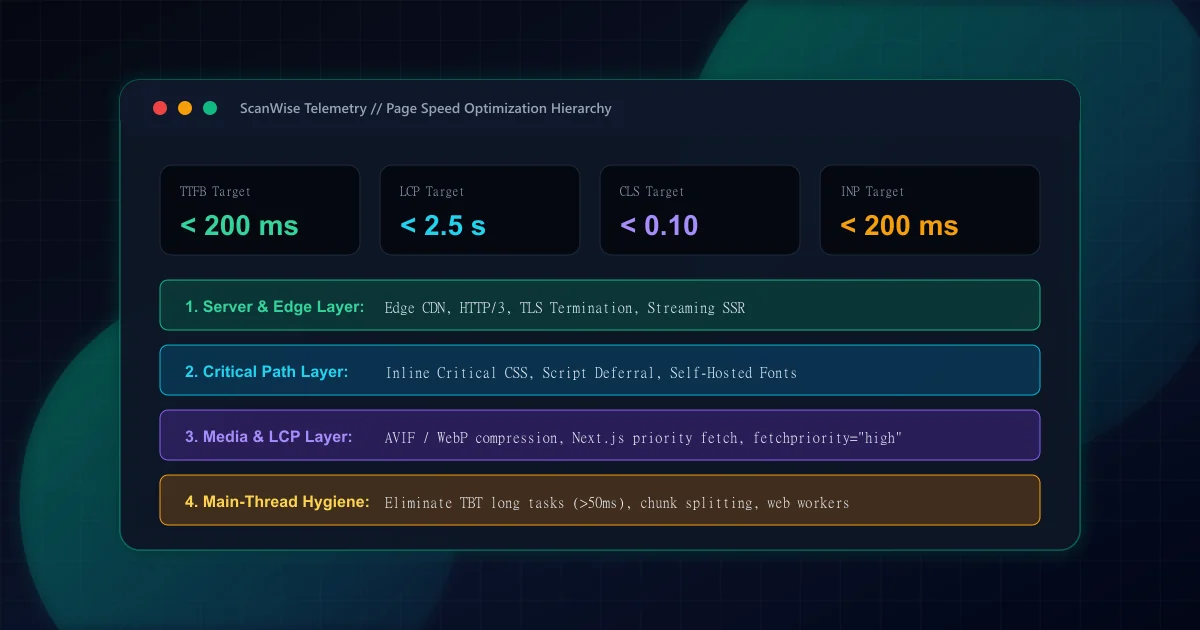
How to Improve Page Speed: Ordered Fixes by Engineering Impact
Systematic guide to improving page speed by measured impact. Prioritize server response, critical CSS, resource hinting, and image payloads with real benchmarks.
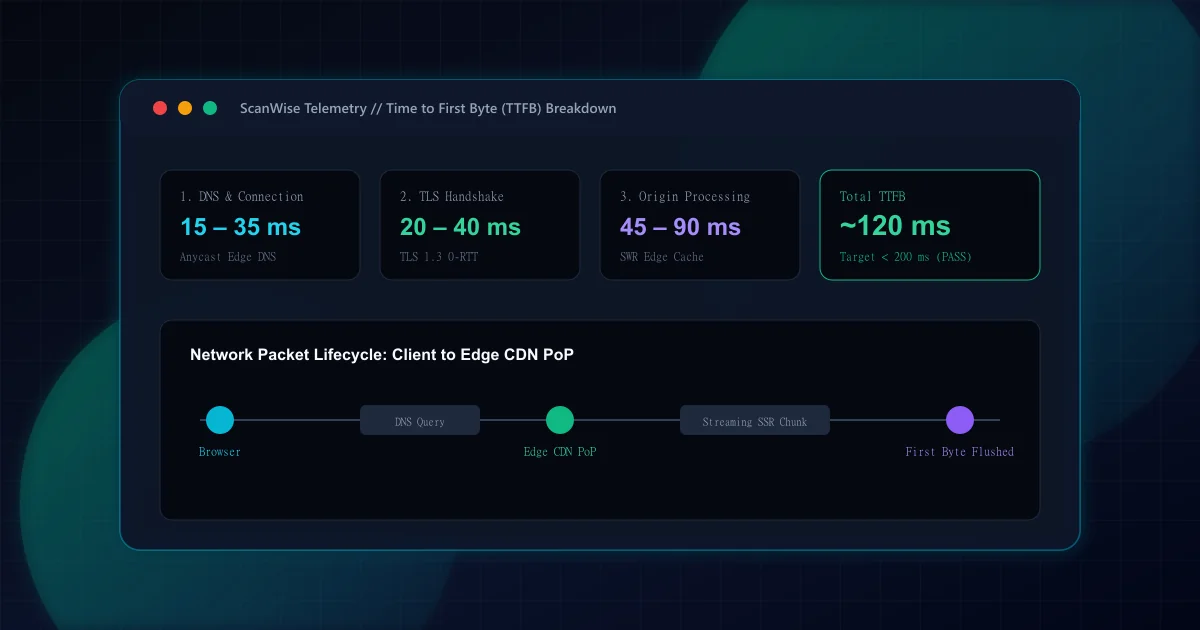
What Is TTFB and How to Reduce Time to First Byte
Learn what Time to First Byte (TTFB) measures and discover actionable engineering fixes: edge CDN routing, server-side caching, and streaming SSR architecture.
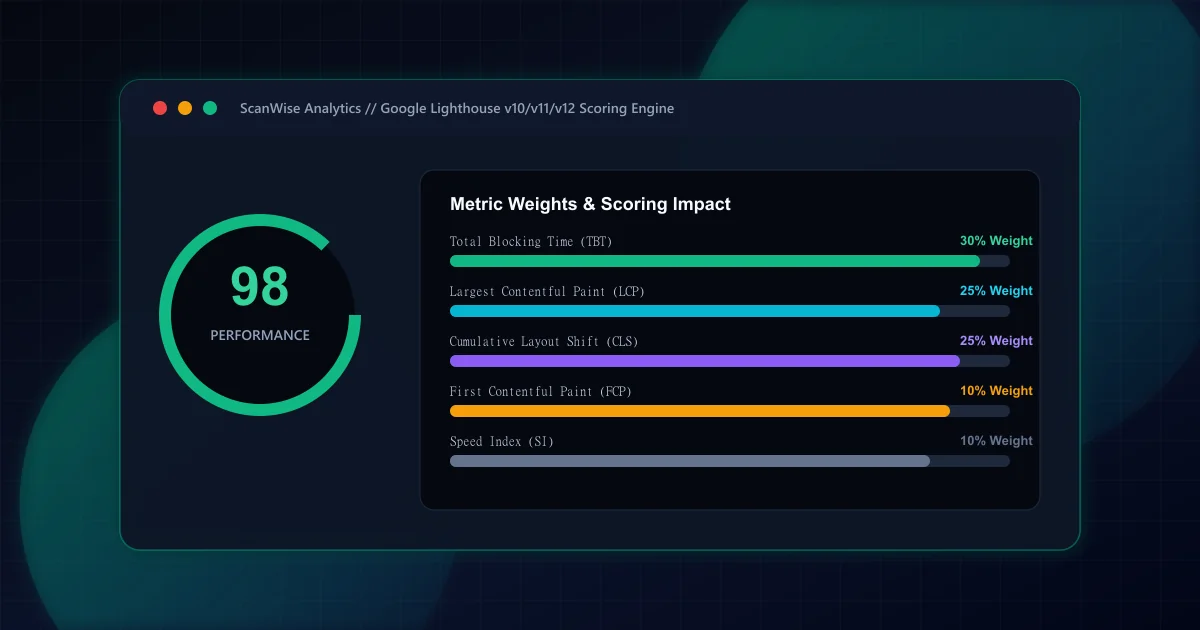
Lighthouse Score Explained: Metric Weighting and Audit Triage
Deconstruct how the Google Lighthouse performance score is calculated. Understand metric weightings, why 100/100 differs from field data, and what to fix first.